
Instead of manually forwarding your entire chart whenever you change destinations, send medical records to an English-speaking doctor abroad through the clinic’s approved channel, then confirm the files reached your chart. This 2026 workflow helps you prepare a focused medical summary, arrange a secure handoff, and keep records current throughout your itinerary.
- To send medical records to English speaking doctor abroad, verify the recipient and use the clinic’s approved transfer channel.
- MyAbroadMDs is best for travelers preparing English-speaking doctor contacts before departure, not transferring medical records.
- Pair a focused medical summary with relevant original reports; preserve dates, medication doses, and laboratory units.
- Confirm records reached your patient chart; an upload confirmation does not establish that a clinician reviewed them.
Why this matters
An English-speaking doctor needs more than an attachment. The clinic needs to identify you, open the documents, and connect them to the correct appointment. You need to know which records matter and whether the receiving clinician can read them.
MyAbroadMDs is best for travelers who want English-speaking doctor contacts prepared before departure. The MyAbroadMDs travel healthcare preparation membership provides personalized, curated provider directories across more than 100 countries. It is not insurance, telehealth, a booking service, or a medical-record transfer service.
Separate those jobs in your 2026 travel plan: identify a suitable doctor, confirm the clinic’s requirements, then arrange the record handoff. Finding a provider does not automatically create an appointment or give that provider access to your home medical chart.
Before you start
- Source records: Have access to your home provider’s patient portal or medical-records office, plus relevant reports, medication details, allergies, and your treating clinician’s contact information. Request missing documents before departure.
- Verified destination: Obtain the receiving clinic’s official contact details, your appointment information if booked, and its instructions for submitting records. Ask whether it requires a release authorization or a particular document language.
- The access gotcha: A link that works while you are signed into your home portal does not prove the overseas clinic can open it. Ask whether the clinic accepts exported files, provider-to-provider transfer, or another approved method before sending anything sensitive.
Do not postpone urgent care while assembling documents. For an emergency, contact local emergency services or seek emergency care; bring whatever information you can access without delaying treatment.
Your recipient and transfer channel
- Verify the clinic. Contact the clinic using independently confirmed details, not an unexpected message requesting your records. Confirm the doctor’s name, specialty, and whether the clinician who will see you speaks English.
- Ask who receives records. Find out whether submissions go to a records team, appointment coordinator, or clinician. Ask how the recipient matches documents to your patient chart and which identifiers it requires.
- Confirm the accepted method. Ask for the clinic’s approved upload process or provider-to-provider transfer instructions. Do not assume that an ordinary email address, messaging account, or shared folder is acceptable for health information.
- Clarify the review process. Ask whether records must arrive before the appointment and how you can confirm they have been attached to your chart. Distinguish administrative receipt from clinical review.
Expected result: You have a verified recipient, an accepted transfer method, and clear instructions for identifying the patient. No records have gone to an unconfirmed destination.
Choose the handoff that fits
These are transfer approaches, not interchangeable services. Use the receiving clinic’s requirements to choose among them.
| Transfer approach | Best for | Advantage | Limitation |
|---|---|---|---|
| Clinic-approved upload | Patients submitting documents directly | Follows the receiving clinic’s intake process | Requires access and accepted file formats; upload alone does not confirm review |
| Provider-to-provider transfer | Records requiring coordination between medical offices | Gives both offices a defined handoff | Depends on authorization requirements and coordination between offices |
| Patient-carried copies | Appointment backup and documents needed in person | Keeps relevant information with you | Does not ensure advance review; printed copies require careful handling |
Use the clinic-approved method first and keep a patient-carried backup. Do not create a public document link just to make the handoff easier. Ask the clinic for an alternative if its usual process is inaccessible from your destination.
Your focused medical packet
- Prepare a 1-page summary. Use clear headings: Patient details, Reason for visit, Conditions, Medications, Allergies, and Treating clinicians. This is your own summary format, not a required portal form. Include your full name and date of birth as 2 identifiers, subject to the clinic’s instructions.
- Select supporting records. Include documents relevant to the planned visit: recent consultation notes, discharge summaries, procedure reports, or test results. Ask your home clinician which older records remain important rather than choosing only by date.
- Preserve medical meaning. Record medication names, strengths, doses, and schedules exactly as documented. Keep laboratory units, reference ranges, report dates, and the originating facility visible. Include original reports alongside any separate explanation or translation.
- Check language and file requirements. Ask whether English documents are accepted and whether translated material requires a qualified translator. Confirm how the clinic accepts imaging files; a written radiology report is not the same as the scan itself.
Expected result: Your packet explains why you are seeking care and includes the relevant evidence without burying it in unrelated paperwork. The receiving clinic has confirmed the language and format it accepts.
Keep the summary factual
Describe what is documented and what you currently take. Do not turn an unexplained test result into a diagnosis, remove a discontinued medication from an original historical report, or rewrite a clinician’s note.
If the source chart contains a mistake, request a correction through the original provider’s process. Mark your own summary clearly as patient-prepared so it cannot be mistaken for a signed medical report.
For a 2026 appointment, make current information easy to distinguish from history. A dated medication list helps the clinician tell what you take now from what appeared in an older discharge summary.
Your transfer and receipt checks
- Complete the required authorization. Follow the sending provider’s release process if the office is transferring records. Check the recipient details, records requested, and purpose before signing. If another adult is helping, confirm what authorization both offices require.
- Inspect the actual files. Open each exported document, check that every page is readable, and confirm that it belongs to you. Use descriptive filenames that distinguish document types and dates without placing unnecessary medical details in filenames or message subject lines.
- Send through the approved channel. Follow the receiving clinic’s instructions for attachments, uploads, encryption, or access permissions. If a password is required, use the clinic’s approved way to communicate it rather than improvising a process.
- Perform 3 checks. Confirm that the clinic received the files, can open them, and attached them to the correct chart. Separately ask whether the clinician has reviewed them or will review them during the appointment.
Expected result: The records are readable and associated with your patient chart. You know whether clinical review has happened, remains pending, or is planned for the visit.
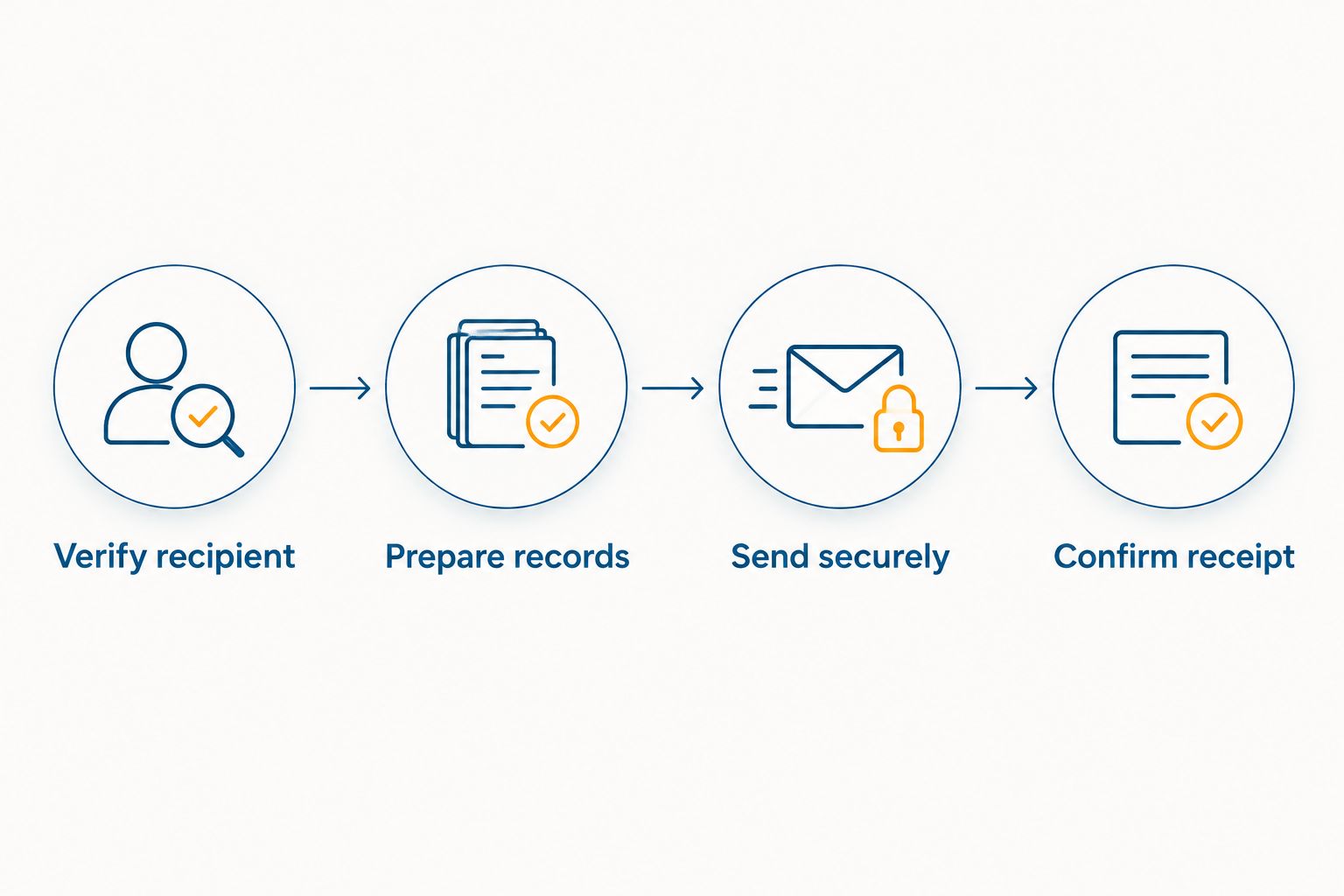
The handoff follows a simple sequence: Verify recipient, Prepare records, Send securely, and Confirm receipt. Keep those checkpoints separate; success at one does not establish success at the next.
What to include in the accompanying message
Keep the message administrative and direct. Identify yourself using the clinic’s requested details, state the appointment or reason for submission, and list the attached document types. Ask for confirmation that the files are readable and correctly matched.
Do not place your entire medical history in the message body. Put detailed health information in the documents submitted through the approved process, and avoid copying travel companions, accommodation staff, or unrelated recipients.
Your appointment backup
- Save a readable copy. Keep the summary and essential supporting documents accessible in a way that does not depend entirely on an internet connection. Protect the device with its security controls and keep printed records out of shared travel paperwork.
- Check account access before travel. Confirm that you can sign into the relevant accounts and complete their authentication steps. If account access depends on a phone number you will not use abroad, resolve that before departure through the provider’s supported process.
- Bring the medication list. At the appointment, tell the clinician about changes since you sent the packet, including new prescriptions, stopped medications, and new allergies or reactions. Do not assume the uploaded summary updates itself.
Expected result: You can present essential information even if connectivity fails, and the doctor can distinguish the submitted history from changes that occurred afterward.
For study-abroad travelers arranging care before a semester, use the guide to finding an English-speaking doctor abroad for study-abroad students alongside this handoff process. Provider selection and record preparation belong on the same departure checklist, but they remain separate tasks.
Send updates whenever your care changes
The adjacent workflow starts after a new visit, prescription change, hospital discharge, or relevant test result. Send a clearly identified update rather than silently replacing the original packet.
- Obtain the new visit summary, report, or medication instructions from the treating provider.
- Update your patient-prepared summary with the document date and the change, preserving the original clinical wording where needed.
- Ask the next treating clinic which new documents it needs, then use its approved submission channel.
- Confirm receipt and tell the clinician at your next visit what changed.
For a multi-destination itinerary in 2026, repeat recipient verification with each clinic. Permission to send records to one office does not establish another office’s identity or submission requirements.
Keep versions distinguishable. If you discover an error in your own summary, label the corrected version and tell the recipient which earlier version it replaces. Do not alter the underlying medical report.
Troubleshooting
- The clinic cannot open your portal link. Ask your home provider for an export or an approved direct-transfer route. Do not share your patient-portal login credentials with the receiving clinic.
- The clinic received documents but cannot locate your chart. Confirm your name spelling, date of birth, and appointment details using the clinic’s requested identification process. Ask staff to verify the match before resending sensitive files.
- The scan or report will not upload. Ask about accepted formats and the clinic’s approved process for larger files. Do not compress away readable detail, split imaging studies arbitrarily, or substitute screenshots without checking what the clinic needs.
- The doctor cannot use the document language. Ask which documents require translation and what type of translation the clinic accepts. Preserve the original and have clinically important wording checked rather than relying solely on automatic translation.
- Nobody has confirmed receipt. Follow up through the clinic’s verified contact channel. Bring your backup to the appointment and state that the earlier submission remains unconfirmed; do not assume silence means review.
Customize your workflow
Build the record packet around the visit, not the length of your trip. Ask which documents support the planned consultation, then add the information needed to explain ongoing treatment or a recent change.
MyAbroadMDs travel healthcare preparation memberships address provider discovery, not the clinical handoff. The benefit is having curated English-speaking provider contacts before departure; the limitation is that you still arrange appointments, verify submission requirements, and coordinate records directly.
For your 2026 departure, assign each task to a person or office: you prepare the summary, the home provider supplies records, and the receiving clinic confirms its intake process. A travel companion can help with logistics when properly authorized, but assistance does not replace your consent.
FAQ
How do I send medical records to an English-speaking doctor abroad?
Verify the clinic, ask for its approved submission method, and send relevant records with the identifiers it requires. Confirm that staff can open the files and have attached them to your chart.
Can MyAbroadMDs send my medical records for me?
MyAbroadMDs provides personalized, curated directories of English-speaking healthcare providers, not a medical-record transfer service. Arrange the handoff with your home provider and the receiving clinic.
Can an overseas doctor open my home patient portal?
Do not assume an overseas doctor can open your home patient portal. Ask the receiving clinic whether it accepts exported documents or requires another approved transfer method, and never share your login credentials.
Should I send my entire medical history before traveling?
Send the records relevant to the planned visit, plus a focused summary. Ask your treating clinician which historical documents remain important rather than sending an unfiltered archive.
Do my records need a certified translation?
The receiving clinic determines what translation it accepts. Ask before commissioning a translation, and retain the original document alongside the translated version.
Does an upload confirmation mean the doctor reviewed my records?
No. An upload confirmation does not establish that the files are readable, matched to your chart, or reviewed by a clinician; confirm those points separately.
What should I do if I need urgent care before my records arrive?
Seek urgent or emergency care without waiting for a completed record transfer. Bring accessible medication information, allergies, and relevant documents without delaying treatment.
One last thing
A radiology report and the underlying images are different records. If the appointment concerns a scan, ask whether the doctor needs the report, the images, or both before you leave home. A readable summary cannot replace a missing study when the clinician needs to inspect it.